


Problem
After macOS update 10.14, Some Dino-Lite devices are no longer recognized by DinoXcope and instead display a black screen in the live view window
Solution
The update of macOS Mojave (10.14) requires apps to get your approval before accessing the camera or microphone on your Mac. The same goes for data like your Messages history and Mail database.
Dino-Lite cameras and DinoXcope software were affected by this change. To resolve issues where DinoXcope can no longer see your Dino-Lite microscope please follow the directions below:
| Instruction | Screenshot |
|---|---|
| 1. If open, close the DinoXcope application | |
| 2. Click on the menu and select System Preferences | 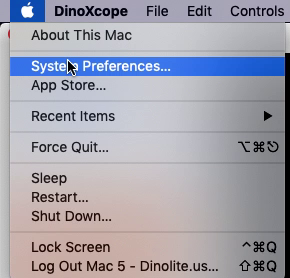 |
| 3. Select and open Security & Privacy | 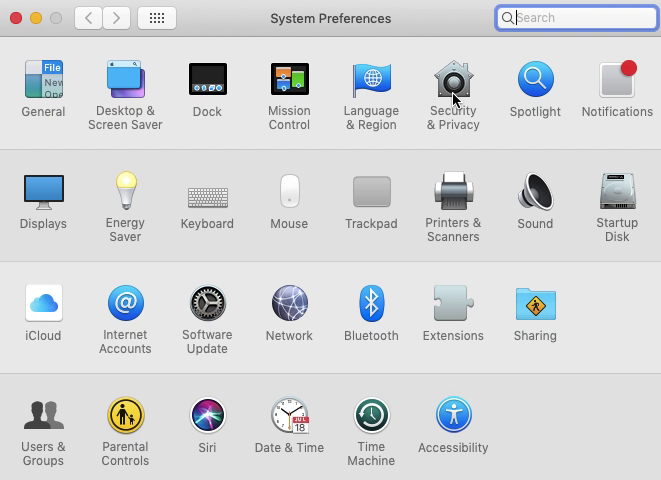 |
| 4. Select the option for Camera in the left menu and check the box to enable Camera access for DinoXcope app | 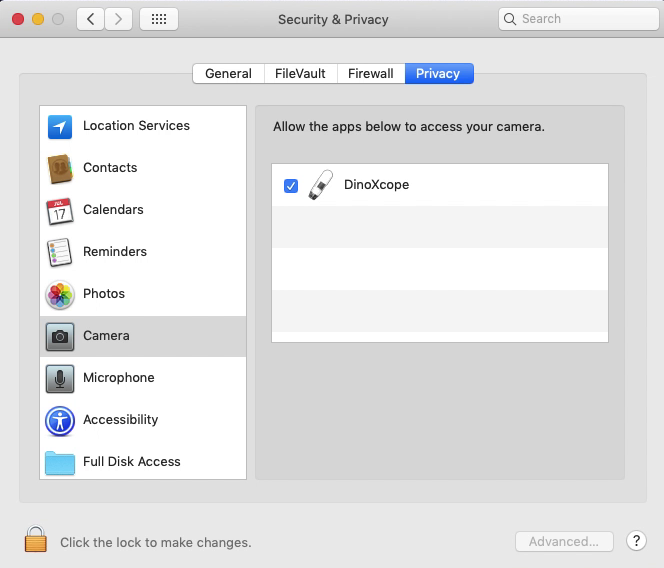 |
| 5. Close the Settings menu and open the DinoXcope software. |