


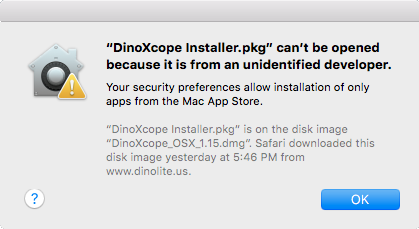
“DinoXcope can’t be opened because it is from an unidentified developer”
“DinoXcope can’t be opened because Apple cannot check it for malicious software”
This error message has to do with increased security in more recent versions of Mac OS. By default, Mac OS is now only allowing software that comes from the Apple store. This can be resolved by creating an exception to that policy for the Dino-Lite software, or by changing that setting univerally to allow software from other sources.
Solution A) Create an exception specifically for the Dino-Lite software
| Instruction | Screenshot |
|---|---|
| 1. Instead of double-clicking on the icon for the DinoXcope, right-click on the icon and then select “Open”. If your mouse doesn’t have a right button, hold the “control” key down on the keyboard and click. | 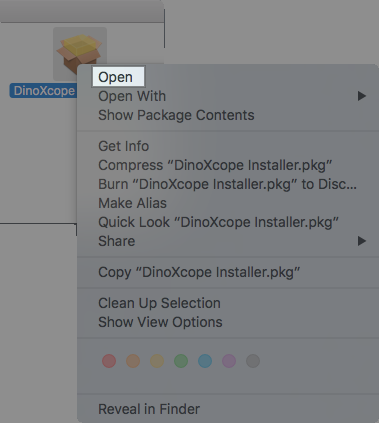 |
| 2. A warning message about an unidentified developer will pop up. Click “Open” once more. The software should now be allowed to run. | 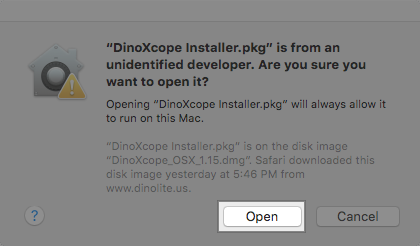 |
Solution B) Change the setting universally to allow software from other sources
| Instruction | Screenshot |
|---|---|
| 1. Click on the Mac OS “System Preferences” icon |  |
| 2. Select “Security & Privacy” | 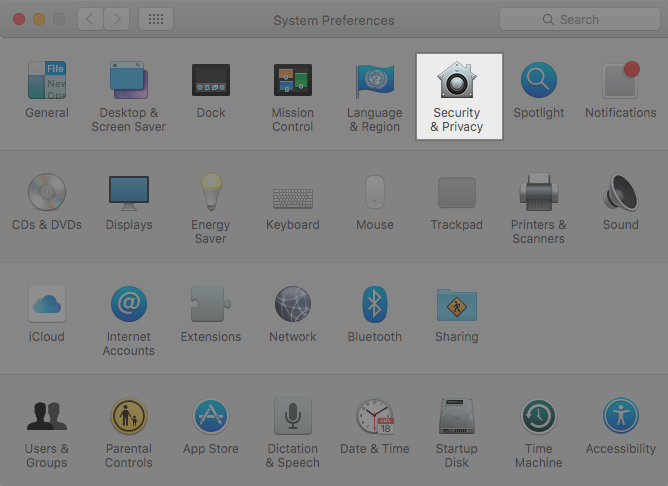 |
| 3. Click the lock icon in the bottom of the window to allow changes, and enter your password if prompted. | 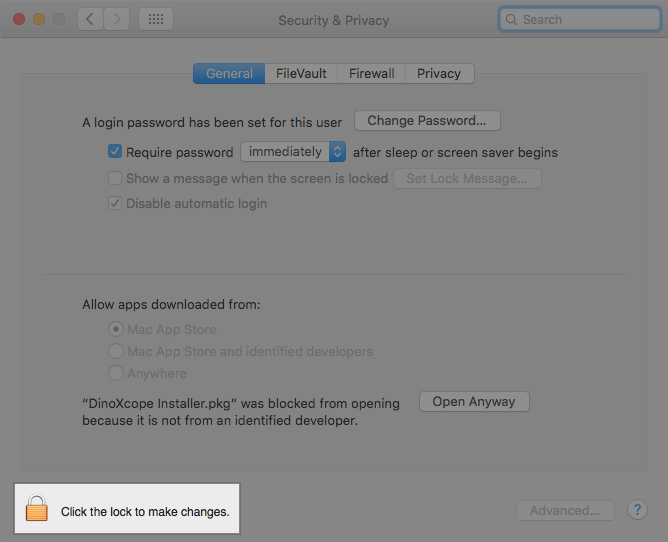 |
4. Under “Allow applications downloaded from:”, select "Anywhere".In newer versions of macOS select "App Store and identified developers". | 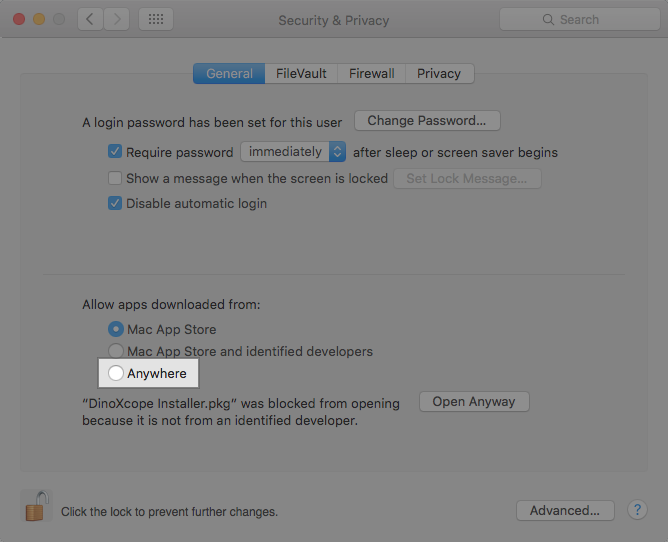 |